Deep Dives
Case Studies
I lead technical strategy for immersive experiences — from permanent venues to live broadcasts to award-winning activations. These case studies show how I define architecture decisions, coordinate cross-discipline teams, and deliver systems that outlast my involvement. I also teach and mentor the next generation of creative technologists. How I work →
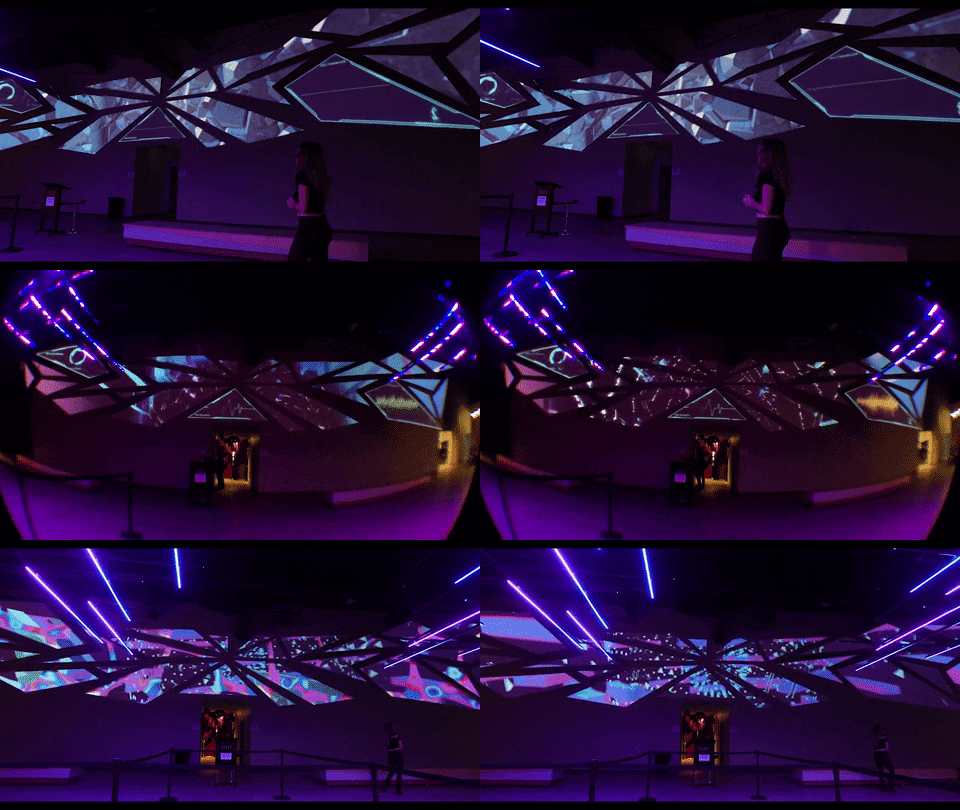
Otherworld Philadelphia
21 Puzzles · 23 Team Members · 4 Characters · 18 Rooms · 150+ Projectors · #7 USA Today Best New Attractions
Led a 23-person team to deliver a permanent immersive venue that earned #7 on USA Today's Best New Attractions — defining the technical architecture, puzzle design framework, and remote support infrastructure for 21 interactive experiences across 18 rooms. Unified 80 applications, 50+ computers, 150+ projectors, and 20+ sensors into a cohesive 4-character narrative puzzle system built for 24/7 unattended operation.
The client needed a system that could run for years without our team on-site. Every architecture decision — from watchdog alerts to standardized design patterns — was shaped by that constraint. Read more: Short-Term vs. Long-Term Installations →
Experience Snapshot
Project Scope
Experience Visual
Design Decisions
- Crafted Program Design Patterns to standardize systems among all developers
- Scanned building to create a previsualization for specifying all 150 projectors before purchasing and to help integrators know placement
- Installed watchdog system for alerts for issues
- Chose LiDAR tracking over normal cameras for depth tracking
- Designed puzzles with progressive difficulty so casual visitors still feel rewarded
- Created the puzzle journey from the narrative and outlined content requirements for all content creation teams
- Pushed back on the original puzzle count to ensure each interaction had enough development time for reliability — prioritizing 21 polished experiences over 30+ rushed ones
Prototyping + Testing
Prototyped each puzzle mechanic in isolation before integrating into the full room system. Ran week-long soak tests with simulated guest loads to catch memory leaks and sensor drift. Calibration routines were tested overnight to validate LiDAR accuracy over time.
Inflection Point
Problem: Construction delays pushed back projector installation, which cascaded into delayed content finalization and difficulty scheduling team trips for on-site calibration.
Fix: Served as mediator between fabrication, integrators, audio, and video teams — tracking digital infrastructure status on-site to coordinate when to fly people in. Built a shared schedule and checklist with fabrication and integrators to flag where we were off track and decide when to modify exhibits to hit the deadline.
What I'd do differently: I'd build the shared tracking system from day one instead of waiting until delays surfaced. Now I start every multi-vendor project with a shared infrastructure status board before anyone is on-site.
Responsibilities
- Defined the technical and creative direction for 21 interactive puzzles and 4 narrative arcs across 18 rooms — aligning content, engineering, and fabrication teams around a unified design framework
- Ran daily coordination across 3 time zones during integration — syncing fabrication, A/V integrators, and content teams through the final push to opening
- Developed custom software applications for real-time interactivity and exhibit management
- Designed UX flows, audience flow diagrams, story arcs, and copy
- Integrated and stabilized 50+ computers, 20+ sensors, 30+ screens, and 150+ projection systems
- Led 12-channel spatial audio systems and room-specific audio environments
- Established content timelines and puzzle sequences for each exhibit
- Established onboarding protocols and remote support infrastructure enabling the venue to operate independently post-handoff
- Recruited and onboarded a 23-person cross-discipline team — building out the engineering, production, and content departments from scratch and scaling from a 3-person core to full operational capacity
Tech Stack
System Architecture
Constraints
Outcomes
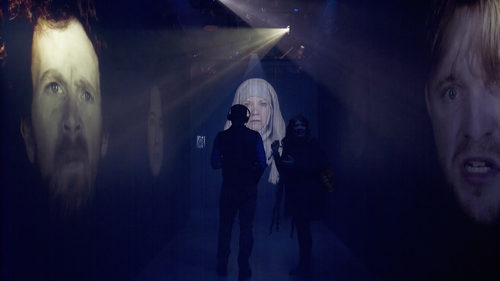
HBO: Bleed for the Throne
Immersive Experience at SXSW 2019 · Cannes Gold Lion · Cannes Silver Lion · Grand Clio · 2x Gold Clio · 2x D&AD Wood Pencil
Led the technical systems for a Cannes Gold Lion, Grand Clio, and D&AD–winning immersive activation — designing the real-time location tracking, audio sync, skeleton tracking, and projection systems that powered HBO's multi-room "Bleed for the Throne" experience at SXSW 2019. Each guest received spatially-aware audio that followed them through rooms, synced to video and theatrical playback in real-time.
The experience had to feel seamless and theatrical — hundreds of guests moving at their own pace, each hearing room-specific audio without ever sensing the technology. Every technical decision served that invisible-tech goal.
Experience Snapshot
Project Scope
Experience Visual
Design Decisions
- Chose beacon proximity over GPS for indoor room detection — a decision that shaped the entire audio architecture and required coordinating with the theatrical design team to define clean handoff zones between rooms
- Added debounce logic so room transitions don't flip-flop in overlap zones
- Adjusted beacon power levels to create clean handoff corridors
- Synced audio to video via timecode — drift beyond 50ms was perceptible
- Designed the system to handle headset disconnects gracefully (auto-reconnect on re-entry)
Prototyping + Testing
Tested beacon overlap zones during load-in by walking the full guest path with test headsets. Measured audio-video sync drift across multiple room transitions. Ran concurrent headset stress tests to find the wireless channel capacity ceiling.
Inflection Point
Problem: The motion tracking room was designed for one guest controlling a Jon Snow silhouette, but multiple people would enter and try it together, confusing the sensor.
Fix: Added a docent to guide guests while we updated the tracking code to lock onto the centermost and front person. Also added a lit floor mark to clarify the interaction point — reducing sensor confusion and keeping the experience smooth for groups.
What I'd do differently: I'd test every interactive room with groups, not just individuals. Single-user testing missed the most common real-world behavior. Now I always run multi-person stress tests for any body-tracking installation.
Responsibilities
- Led the design and development of the real-time location tracking system — defining beacon placement strategy, audio routing logic, and the sync architecture between rooms
- Coordinated a 4-person technical crew across load-in, rehearsal, and 3 live days — managing real-time troubleshooting alongside theatrical and production teams
- Designed audio-to-video sync engine that delivered room-specific audio and visual cues
- Managed and built application for all video mapping
- Led skeleton tracking interactive video content development
- Defined multi-channel audio routing architecture for personalized per-guest experiences
- Built content management system and coordinated video/audio sync over the network with theatrical playback systems
- Worked directly with the theatrical director to align beacon transition zones with the narrative pacing — ensuring audio handoffs felt intentional rather than technical
- Hired and onboarded the 4-person technical crew — sourcing specialists in audio engineering and interactive systems for a high-profile, high-pressure activation
Tech Stack
System Architecture
Constraints
Outcomes
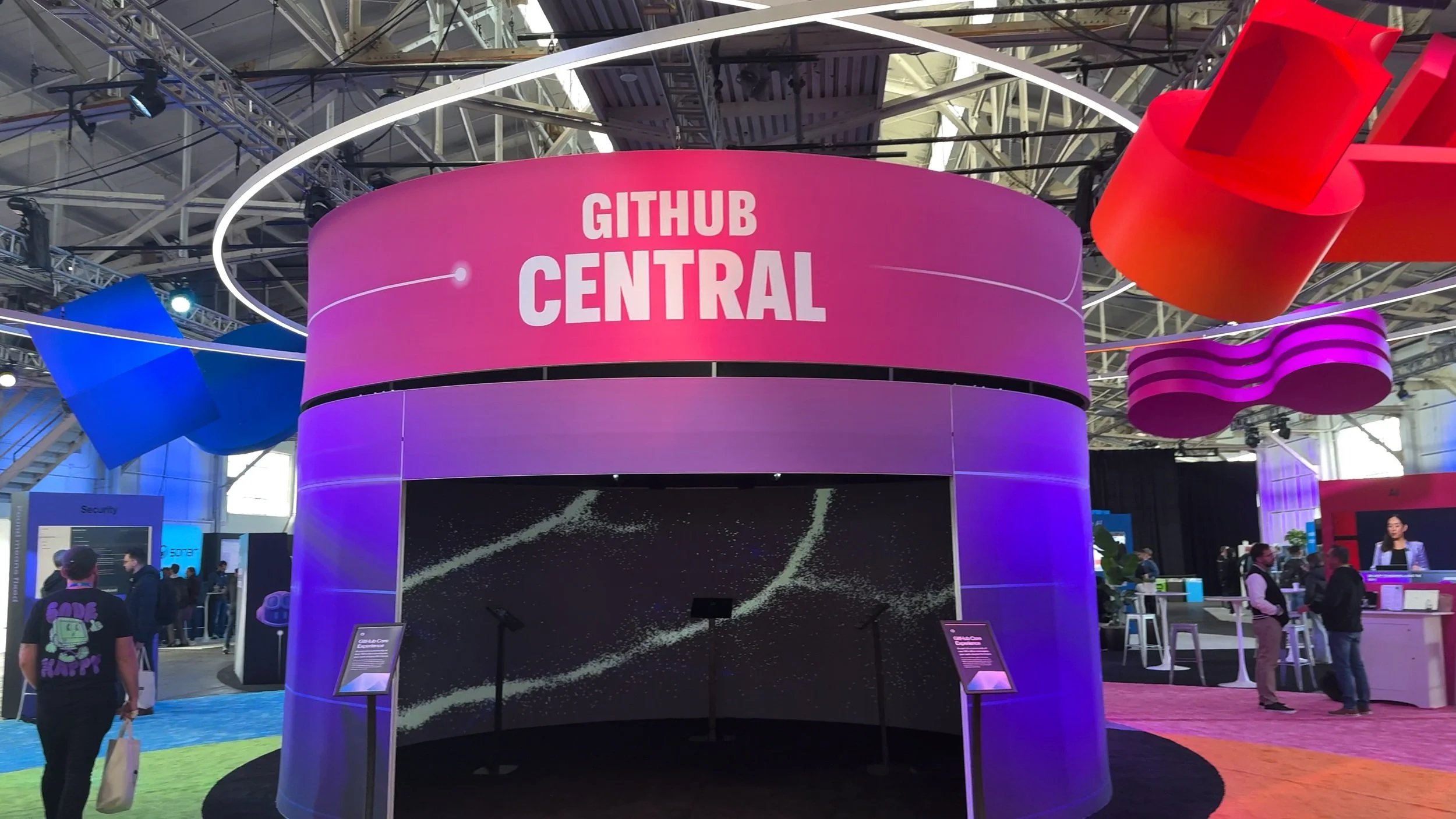
GitHub Universe 2024
3 Interactive Exhibits · Flagship Developer Conference · San Francisco
Led technical production of three interactive exhibits for GitHub's flagship developer conference — collecting 2,000+ survey responses, visualizing attendee contributions across a 270° projection, and driving venue exploration through a conference-wide scavenger hunt. Exhibits doubled as live research tools, feeding real-time data to a dashboard the research team used to adjust questions mid-event.
GitHub needed more than engagement pieces — they needed research infrastructure disguised as interactive experiences. Every exhibit was designed to collect actionable data while still feeling like a memorable moment for attendees. Read more: How to Pitch a Project →
Experience Snapshot
Project Scope
Experience Visual
Design Decisions
- Built redundancy system for event
- Designed concept, content and user journey that matched clients' needs and the space
- Managed all asset creation and reviews with client
- Made survey flow under 60 seconds so lines stayed short
- Designed balloon visuals to be unique per response — every attendee got something shareable
- Advocated for routing all survey data to a live research dashboard — shifting the exhibits from pure engagement pieces to dual-purpose research tools that justified the investment to stakeholders
Prototyping + Testing
Flew to Igloo and tested the projection system in person. Stress-tested the GitHub API integration with simulated concurrent requests to find the rate limit ceiling. Ran the full survey-to-balloon pipeline with test data to tune the generation speed. Validated the research dashboard with sample data before the event.
Inflection Point
Problem: The GitHunt scavenger hunt experienced lag due to the venue's local network and hardware not being able to support the system.
Fix: Ran it on day one while troubleshooting, then made the call to cut it for day two — recognizing the sunk cost and prioritizing attendee experience over keeping a struggling feature live.
What I'd do differently: I'd require a full network stress test at the actual venue before committing to any feature that depends on local infrastructure. Conference networks are unpredictable — now I always have a local-only fallback for network-dependent features.
Responsibilities
- Led technical production across all three exhibits from concept through strike — owning vendor coordination, client reviews, and creative direction
- Directed a 5-person crew through a 1-day load-in with union labor constraints and a tight setup window
- Designed and managed "Join The Fold" — survey responses generated custom hot air balloons launched into a projection-mapped bay scene
- Designed and led development on "The Core" — 270° projection with real-time particle field pulling GitHub account stats by handle
- Designed and managed "GitHunt" — conference-wide scavenger hunt with 10 hidden Mona Cats and gift card rewards
- Led real-time data pipeline so research team could review survey results live during the event
- Coordinated A/V integration, projection alignment, and interactive hardware
- Presented the sunk-cost analysis to the client for removing GitHunt on day two — framing it as protecting attendee experience rather than a failure. Client agreed and the team redirected energy to optimizing the remaining exhibits
- Recruited and onboarded a 5-person production crew — selecting specialists across fabrication, software, and A/V integration for a compressed build timeline
Tech Stack
System Architecture
Constraints
Outcomes
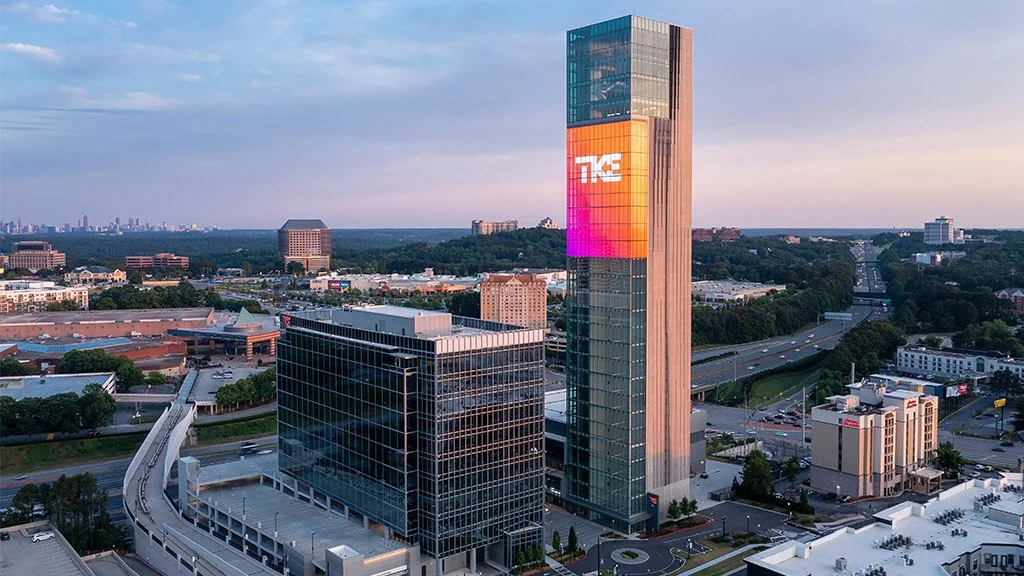
TKE Building / Gensler
Tallest LED Wall in North America 2022 · LEED Gold · American Architecture Award · AGC First Place
Delivered a LEED Gold, American Architecture Award, and AGC First Place–winning LED installation — the tallest in North America — with 24/7 uptime and zero-downtime failover. Defined the CMS, failover architecture, and remote management strategy so non-technical building staff could operate the system independently, years after handoff.
The real user wasn't our team — it was building staff with no technical background. That realization reshaped every architecture decision, from the CMS interface to the failover alerts. Read more: Short-Term vs. Long-Term Installations →
Experience Snapshot
Project Scope
Experience Visual
Design Decisions
- Built dual-server auto-failover so the wall never goes dark
- Added graceful degradation — elevator feed drops → smooth ambient fallback
- Identified early that the long-term operator would be non-technical building staff — reframing the entire CMS architecture around usability rather than power-user features
- Tied LED content to building lighting system for cohesive exterior appearance
Prototyping + Testing
Created previsualization of the building using cad from Gensler. Worked with lighting team and integrator to plan and simulate the messaging system for failover. Tested the CMS with building staff during a training session to catch UX issues before handoff.
Inflection Point
Problem: The system was initially built for our team to manage, but we didn't know who would maintain it long-term — leaving it in a state only we could operate.
Fix: Built a full scheduling and playlist CMS so building staff could update content, create custom playlists, and set time-of-day schedules independently. The system now runs remotely during working hours with zero downtime for updates.
What I'd do differently: I'd identify the long-term operator in the first week of the project, not midway through. Now I always ask "who runs this after we leave?" before writing a single line of architecture.
Responsibilities
- Defined the failover architecture strategy — specifying dual-server redundancy with graceful degradation so the wall never goes dark, even during hardware failures
- Managed a 3-person crew end-to-end — from previs through installation, CMS training, and long-term handoff to building operations
- Led custom CMS development with playlist creation, smart scheduling, and holiday programming
- Developed sunset brightness timer for automatic brightness scaling throughout the day
- Integrated elevator position API to drive real-time generative visuals on the LED wall
- Established lighting sync/control system tying LED content to building lighting
- Led secure 24/7 remote support and monitoring dashboard
- Calibrated LED wall for seamless panel alignment
- Specified, priced, and sourced all hardware — managing vendor relationships and negotiating within budget constraints for a permanent installation with no margin for underspec
- Selected and onboarded 3 contractors for the project — vetting for LED, networking, and server infrastructure expertise needed for a permanent, unattended installation
Tech Stack
System Architecture
Constraints
Outcomes
Fortnite World Cup
360° Stage Mapping · Game Reactive Visuals · Live Broadcast
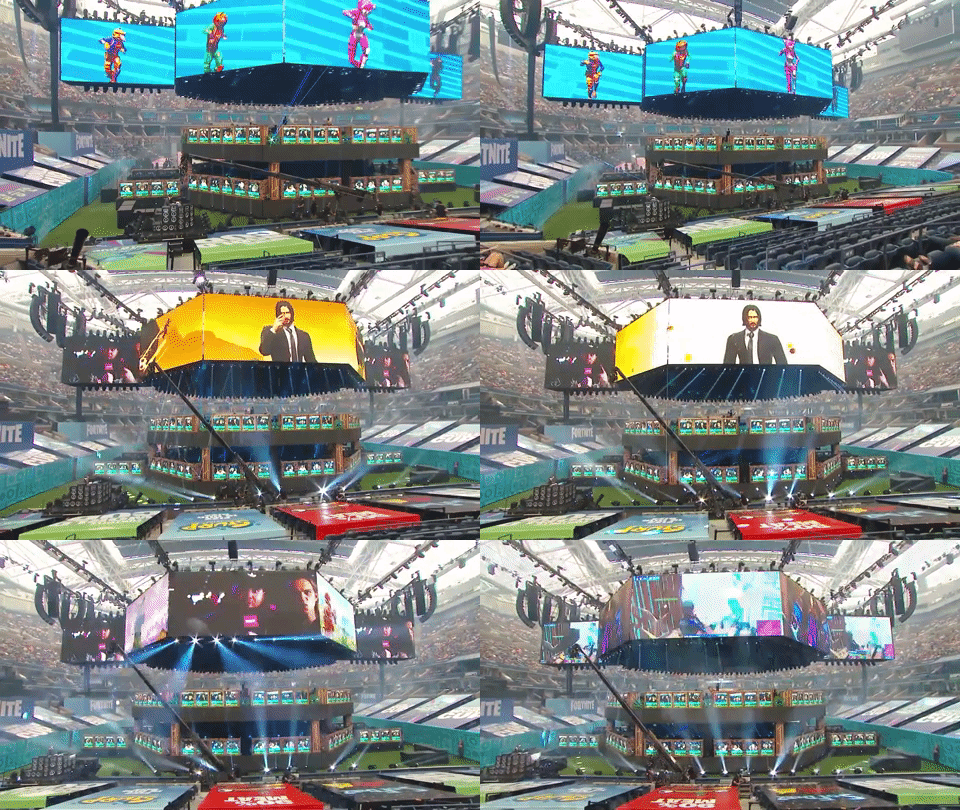
Led the generative visual system for the inaugural Fortnite World Cup — translating real-time gameplay into 360° stage compositions for 23,000 live spectators and 2.3 million concurrent viewers. Defined the event-to-visual mapping, throttle logic, and broadcast integration pipeline with zero dropped frames across a 3-day tournament.
Live broadcast meant zero margin for error — every visual had to work for both the in-stadium audience and compressed video streams simultaneously. The system had to degrade gracefully during mass-elimination data bursts without ever going dark on camera.
Experience Snapshot
Project Scope
Experience Visual
Design Decisions
- Created a GUI for us to monitor data received and also spoof triggers quickly to test all the assets prior to the show
- Built in placeholder image for failover
- Designed the visual system to degrade gracefully during data bursts — mass eliminations could spike 50+ events per second, so built a throttle layer that preserved visual coherence on the broadcast feed without dropping triggers
- Tuned visual intensity for dual audiences — in-stadium needed high-energy spectacle while broadcast needed readable compositions that wouldn't clip on compressed video streams
- Structured the asset pipeline so player names, portraits, and team data could be hot-swapped between matches with zero downtime — critical for a 3-day tournament with changing brackets
Prototyping + Testing
Ran rehearsal matches with live data to tune the event-to-visual mapping. Stress-tested burst packets (mass elimination scenarios) to validate the throttle layer. Checked broadcast feed quality on-site with the broadcast engineering team before the event.
Inflection Point
Problem: Player names and positions could change quickly between games, risking misrepresented player info on the stage visuals during the live broadcast.
Fix: Built a custom GUI for swapping assets live without downtime. This also cut prep time to 30 minutes per match for verifying all player assets were correct before going live.
What I'd do differently: I'd build the asset-swap GUI into the original spec rather than as a reactive fix. For any live tournament format, player data volatility should be a first-class design constraint from the start.
Responsibilities
- Led the generative visual system translating real-time gameplay into stage-mapped compositions — defining the event-to-visual mapping, throttle logic, and broadcast integration pipeline
- Operated as a 2-person team with full autonomy — no safety net, direct interface with broadcast engineering and stage management across a 3-day live tournament
- Mapped generative visuals across 360-degree stage surround at Arthur Ashe Stadium
- Integrated visual output into the live broadcast pipeline for global streaming
- Directed data ingestion layer to translate gameplay events into visual triggers
- Coordinated with broadcast engineering team for seamless feed integration
- Handpicked a 2-person team for full autonomy on a $30M prize-pool event — operating with zero backup crew and complete ownership of the visual pipeline
Tech Stack
System Architecture
Constraints
Outcomes
H-E-B Immersive Dinner
5 Course Dinner with custom 10,000 x 2,000 Resolution video, scents, lighting, and audio · Course-Synced Show Control · Shorty Award Finalist
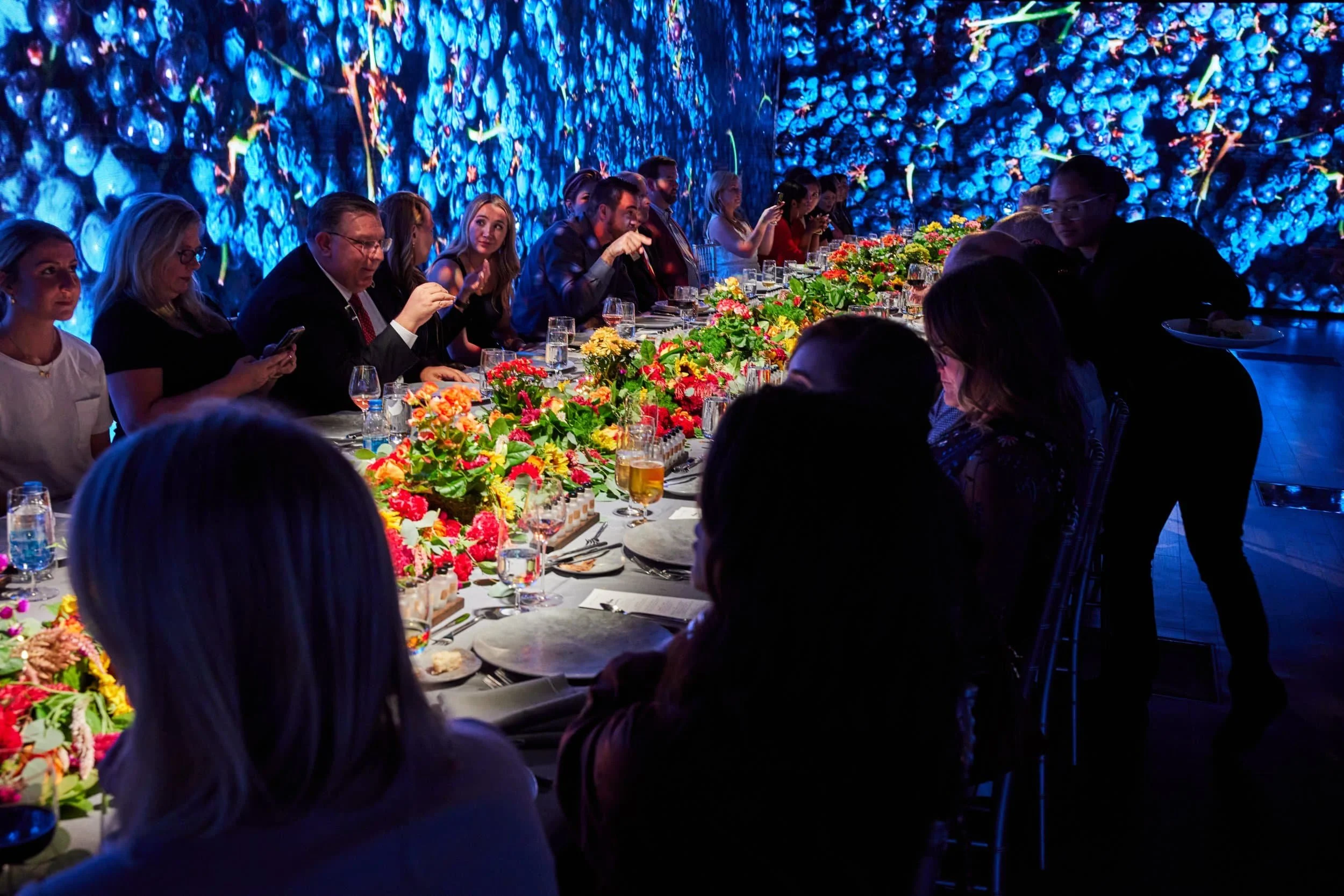
Delivered a Shorty Award Finalist immersive dining experience with zero technical interruptions across 3 evenings — designing the show control system, generative content pipeline, and multi-sensory cue architecture for a 10,000 × 2,000 pixel wraparound display. Content transported VIP diners through Texas farmland, orchards, and coastal scenes synced to each course, with coordinated lighting, audio, scent, and video transitions.
Kitchen timing varies every night — courses can arrive minutes early or late. The entire technical architecture had to absorb that variability without the audience ever sensing a gap or a rush. Read more: How to Pitch a Project →
Experience Snapshot
Project Scope
Experience Visual
Design Decisions
- Built Custom GUI for Monitoring and Cueing
- Shifted from timecode-based to cue-based show control after recognizing that kitchen timing varied nightly — a structural decision that made the system flexible enough to absorb real-world variability without compromising the guest experience
- Built extendable ambient loops so scenes stretch/compress naturally between cues
- Designed Mapping System and Custom Generative Content at Full Resolution
- Designed all transitions to be gradual (no hard cuts) so diners never feel jarred
Prototyping + Testing
Ran full dress rehearsal dinners with test audiences to validate pacing and atmosphere. Also stress tested all content, generative and baked, for frame drops and throttling.
Inflection Point
Problem: Course timing varied nightly, requiring a strict schedule without rushing guests or letting the experience feel stale between courses.
Fix: Layered the sensory cues — food arrived with audio and scent first, then video followed to keep lighting on the dish before the walls took focus. Between courses, generative visuals ran as an endless ambient loop so the room never went dark while servers reset for the next dish.
What I'd do differently: I'd run a full dress rehearsal with the actual kitchen team earlier in the process. We rehearsed with test timing, but real kitchen variability was wider than simulated. Now I always insist on at least one real-conditions rehearsal with the actual operators.
Responsibilities
- Designed and led show control system coordinating video, lighting, and audio playback
- Coordinated an 8-person crew across culinary, A/V, and lighting disciplines — aligning kitchen timing with technical cues across 3 live evenings
- Established generative content pipeline for 10,000 x 2,000 pixel wraparound display
- Produced content sequences synced to each course of the dining menu
- Defined scene transitions timed to kitchen service — farmland, orchards, coastal scenes
- Co-designed the cue sheet with the culinary and events teams — translating kitchen service flow into technical triggers that kept sensory layers (video, lighting, audio, scent) synchronized across variable timing
- Specified, priced, and sourced gear needs and vendors
- Directed multi-server playback for seamless high-resolution output
- Presented the sensory layering approach to H-E-B's events team — demonstrating how staggering food, scent, audio, and video cues would keep each course feeling fresh rather than overwhelming guests with simultaneous stimuli
- Recruited and managed an 8-person crew across A/V, lighting, and content disciplines — sourcing each specialist and coordinating onboarding around a tight multi-evening event schedule